

ZOLEO Campfire Chats Recap: Severe Weather Planning with Ryan Jordan
A changing forecast can change your entire trip. Backpacking Light founder Ryan Jordan shares practical advice on reading weather forecasts, planning alternate routes and knowing when to turn back.
When it comes to severe weather, knowing the forecast becomes useful when you connect it to a decision. Will a slower pace leave you on an exposed ridge when thunderstorms are expected? Where could you go if your planned campsite becomes unsuitable? And if conditions force your plans to change beyond cell coverage, does someone at home know what to expect?
In our most recent Campfire Chats session, Ryan Jordan, founder of Backpacking Light, explored how to answer those questions. Drawing on more than three decades of guiding, teaching and travelling in mountain environments, he shared a practical approach to making decisions while you still have options.
Here are a few learnings and takeaways that we’ve gathered from our session with the environmental engineer and backcountry expert.
Missed the session? No worries. Check out the full episode on our YouTube channel.
How does El Niño affect backcountry weather?
El Niño can change the likelihood of seasonal temperature and precipitation patterns by influencing atmospheric circulation. Its effects provide useful context for trip planning, but a seasonal outlook cannot tell you what will happen at your campsite on a particular afternoon.
“Climate loads the dice,” Ryan explained. The weather you encounter is the actual roll.
The outlook matters this season. In its September 10, 2026 update, NOAA reported a greater than 90% chance of a very strong El Niño during the Northern Hemisphere fall and winter of 2026–27.
TIP! For your next trip, use seasonal outlooks to understand the broader conditions worth preparing for. Then check local forecasts, warnings and land management updates as your departure approaches. Decisions on the trail need information specific to your location and timing.
Want more resources on severe weather preparedness? Check out our 9-step checklist for backcountry adventurers.
How to read a weather forecast for a mountain route
Elevation and exposure play a huge factor in the actual forecast you would experience.
Check the forecast for the terrain you will travel through, especially its elevation and exposure. A forecast for a nearby town may describe very different conditions from those on a pass or at a high campsite.
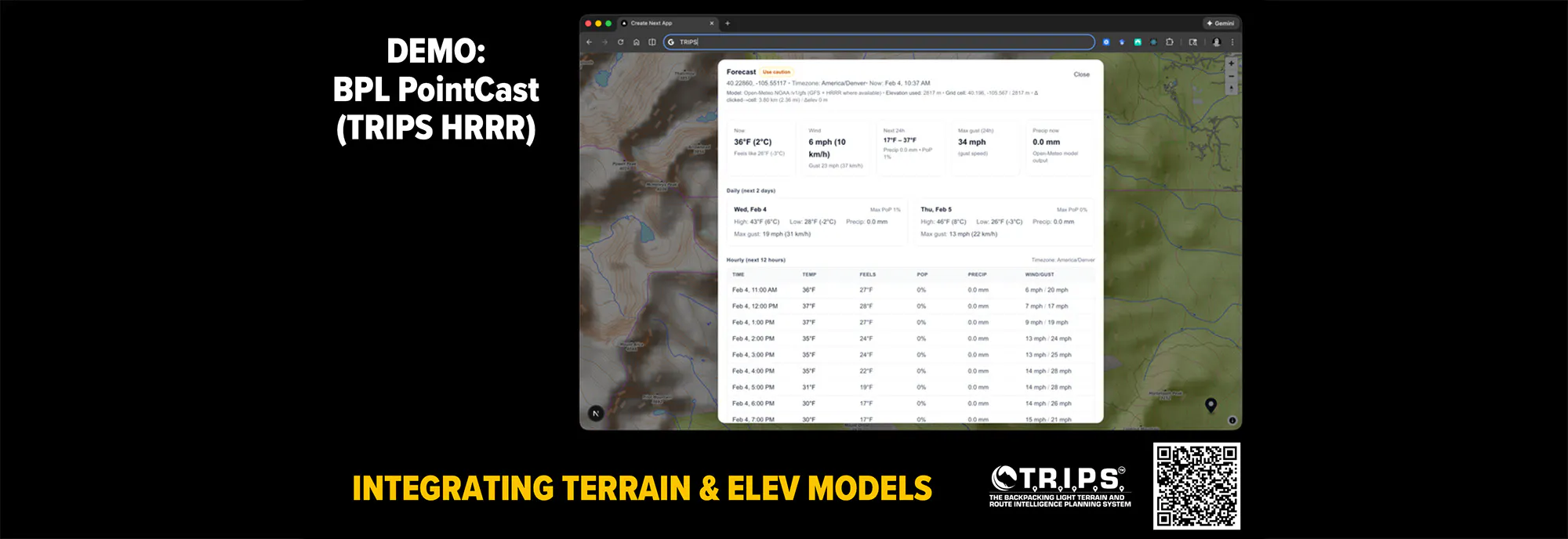
Ryan demonstrated how even a point selected on a forecast map can relate to a model location with different terrain. A valley, lake basin and exposed ridge can experience different conditions within a small area.
Look beyond the weather icon and ask:
- When could rain, snow or thunderstorms overlap with an exposed section of the route?
- Could wind gusts affect your balance, travel speed or campsite choice?
- How much could temperatures vary, especially overnight or if you become wet?
- Could precipitation change footing, water crossings or the time needed to reach camp?
Use forecast ranges and uncertainty to guide your gear and route choices. A small change in the forecast matters most when it crosses a limit for your group, equipment or terrain.
How can you match the forecast to your itinerary?
Ryan calls this approach trip casting: combining weather information with your route, timing, terrain and the demands on your group. It helps you see where the weather could become a problem during the trip.
Break each day into morning, afternoon, and evening. For each period, identify where you expect to be, how exposed that location is, and what the forecast could mean for travel or camping. Include a realistic allowance for slower progress.
For example, an itinerary that reaches a high traverse during a forecast thunderstorm period needs reconsideration before departure. You might choose a different route, change the trip date or revise the itinerary to reduce exposure. Recheck those choices as conditions develop.
Ryan illustrated why timing matters with an alpine traverse that could take roughly five hours in dry conditions and eight hours when wet. That is three additional hours of exposure, effort and potential fatigue. Weather can change whether your itinerary remains realistic.
When should you change your route or turn back?
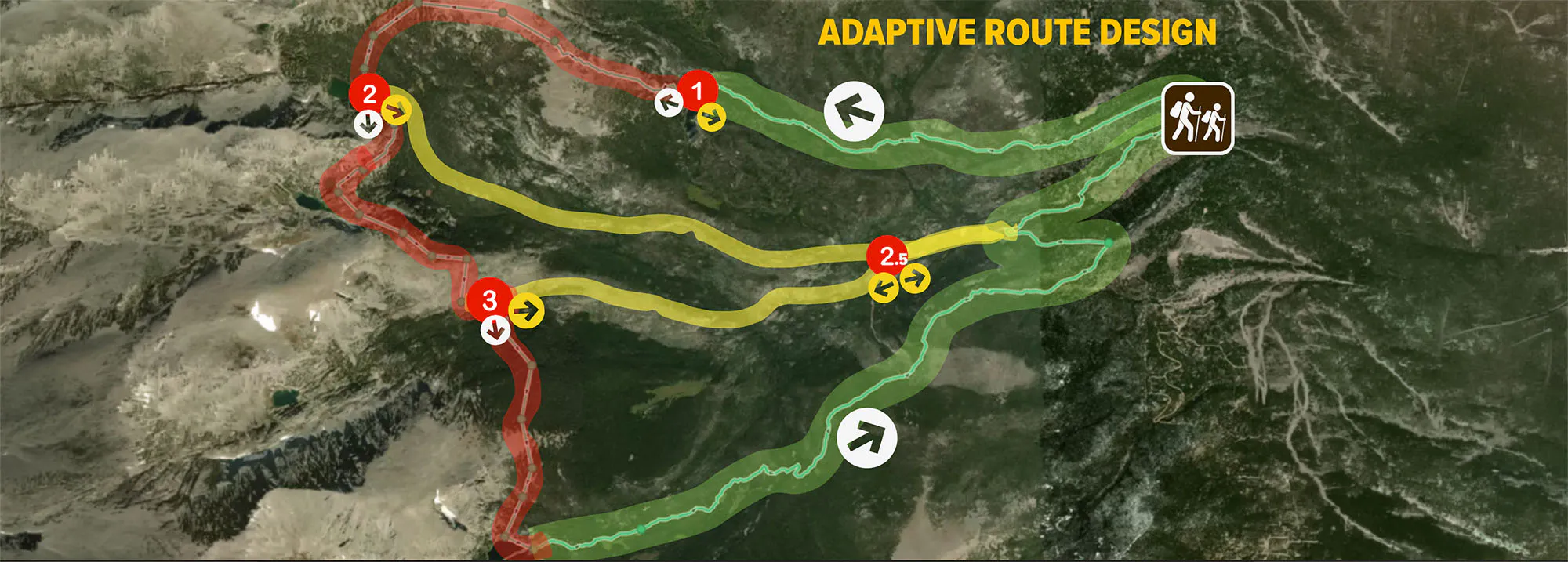
Set clear triggers before departure, while everyone has time to consider the alternatives. Ryan calls these decision gates: agreed points or conditions that prompt you to stop and reassess whether to continue.
Useful triggers include:
- A location: reassess conditions before committing to an exposed pass or ridge.
- A time: turn around if you miss a turnaround time chosen for the route, forecast and daylight available.
- A change in conditions: use your alternate plan if weather makes the next section unsuitable.
- A change in the group: shorten the day or change plans if fatigue, cold or declining pace reduces someone’s ability to continue safely.
Write down what you will do when a trigger is reached. Identify where you could exit, descend, camp earlier or shorten the route, and check the hazards of those alternatives too.
An earlier start does not guarantee that you will avoid thunderstorms. If you hear thunder, act on the lightning risk immediately. The National Weather Service advises moving to a substantial building or enclosed hard-topped vehicle when accessible; tents provide no lightning protection. When shelter is unavailable, no outdoor location is safe from lightning. Read the NWS guidance for outdoor lightning safety.
How do you make decisions when conditions change?
Use a short, repeatable process: observe, interpret, decide, act and re-evaluate. Ryan describes this as a way to make small corrections before the situation becomes harder to manage.
1. Observe: notice changing clouds, wind, footing, visibility and the condition of your group.
2. Interpret: consider what those changes mean for the next section, your pace and the options still available.
3. Decide: choose the action that responds to the new information.
4. Act: put the revised plan into motion.
5. Re-evaluate: check whether the change has helped and whether another adjustment is needed.
Include people in every assessment. Ryan explained how fatigue, cold, hunger and stress can reduce the physical and mental capacity needed to navigate, manage clothing or pitch a shelter. Address problems early, while those tasks remain manageable.
“Early corrections are cheap. Late corrections are expensive,” he said.
TIP! When a change affects your route, timing or expected return, consider what your Safety Circle needs to know too. Use your ZOLEO to send a check-in, share your location, and keep the people at home in the loop.
What is “nowcasting” and why does it matter on a trip?
Nowcasting uses recent observations to assess current weather and how it may develop over the next few hours. The World Meteorological Organization defines its window as the present through six hours ahead. It can draw on radar, satellite imagery, lightning detection and other observations. See the WMO explanation of nowcasting.
Ryan shared an experience in Colorado’s Flat Tops Wilderness. His satellite messenger forecast showed partly cloudy conditions and a 20% chance of precipitation. Later that evening, he observed lightning and heavy rain near camp.
He messaged his son at home, who checked radar and relayed information about the approaching storm core. Those updates gave Ryan additional context that the earlier forecast had not conveyed. It’s also an example of preparedness working both ways: Ryan gained additional information for decisions in the field, while someone in his Safety Circle had greater visibility into what was happening.
The lesson is to keep comparing forecasts with what you can see and hear. A low precipitation probability is not a guarantee of mild conditions, and a forecast cannot replace an observation of a storm already developing around you.
Ryan also described changing a planned campsite in the Bighorn Range after measuring poorer air quality in a valley. The better conditions he found higher up were specific to that trip. The useful habit was checking local conditions and revising the plan, rather than assuming the original campsite remained the right choice.
How can your Safety Circle support weather preparedness?
Agree on a communication plan with someone at home before you leave. Share your route, alternate options, planned check-in times and what they should do if you miss a check-in. Confirm whether they can help relay official weather warnings or other updates during the trip.
With a ZOLEO device, an active subscription and the ZOLEO App, you can exchange messages beyond cell coverage. Your Safety Circle can help you access information, while your updates give them a clearer picture of your location and plans. That supports peace of mind both ways. Learn about ZOLEO’s messaging and safety features.
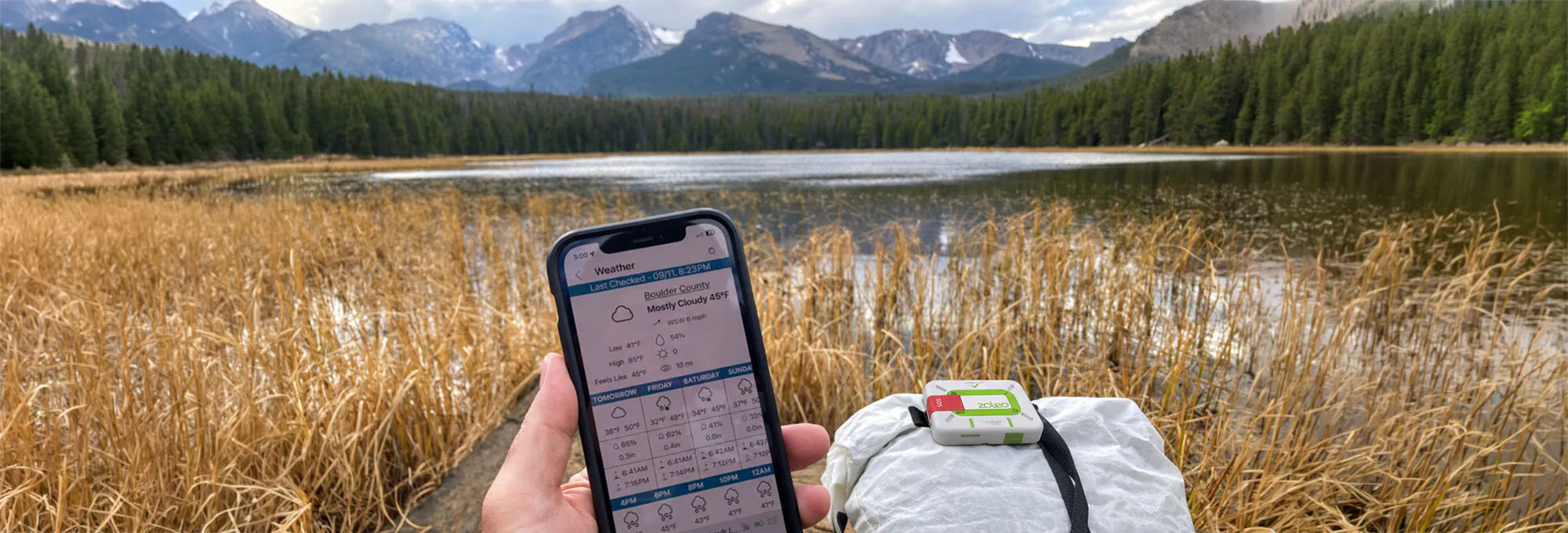
You can also request an Xweather forecast for your current location or another selected location in the ZOLEO App. Set up and test the device and app before departure and download the relevant offline maps. Follow ZOLEO’s weather forecast instructions.
Treat location-based forecasts as one source of information alongside observations and official warnings. A person at home can relay useful updates, but your group still needs to act on immediate hazards without waiting for a reply.
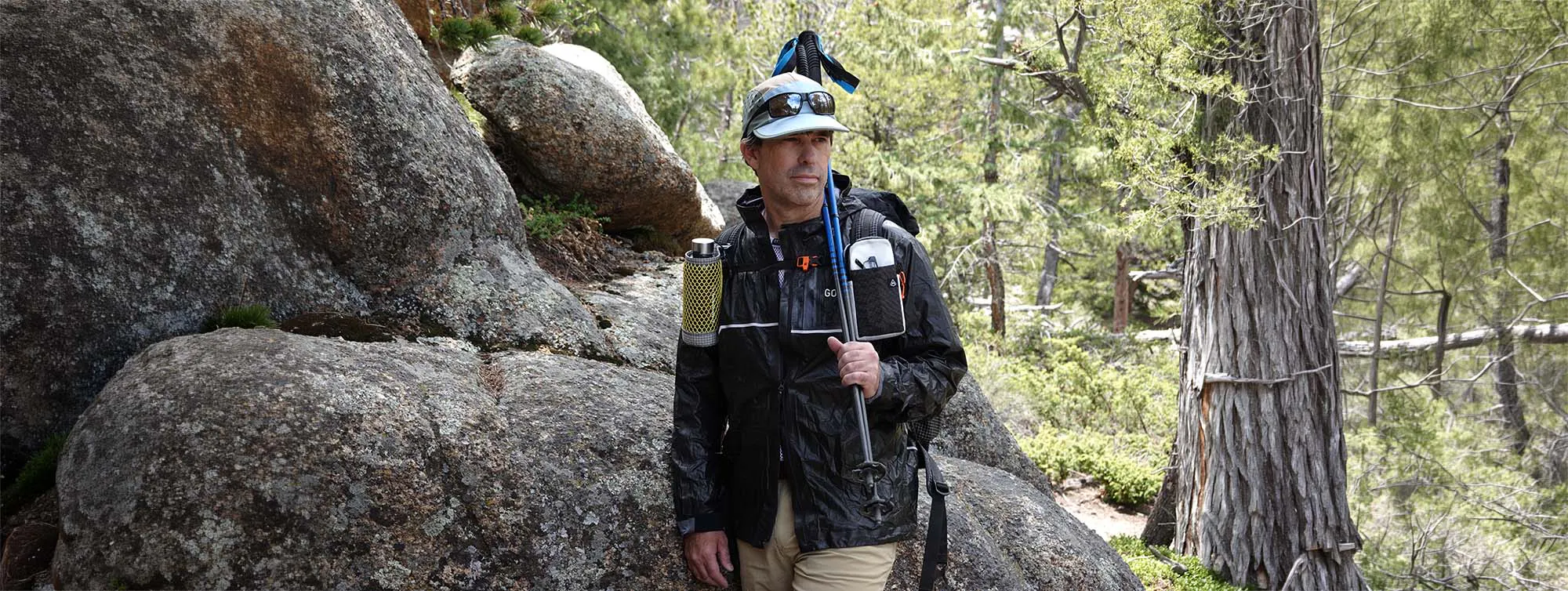
Your questions, answered by Ryan and ZOLEO
During the session, attendees asked how ZOLEO’s weather features work and how they relate to the tools Ryan discussed. Here are the answers from Lu on the ZOLEO team, and our expert guest, Ryan Jordan:
Is the weather feature of ZOLEO nowcasting?
ZOLEO provides location-specific current conditions and weather forecasts using Xweather data. I would not characterize the built-in ZOLEO weather feature as full nowcasting in the sense discussed during the presentation. Operational nowcasting generally means using rapidly updating observations such as radar, satellite, lightning, and storm-cell information to understand what is happening at a specific location now and how conditions are likely to evolve over the next minutes to few hours. ZOLEO’s weather information is useful for current situational awareness and forecasting, but it does not expose that full real-time nowcasting workflow.
Do ZOLEO devices enable linkage to some of the tools Ryan was describing on Backpacking Light for nowcasting?
There is not a direct integration between the ZOLEO weather feature and Backpacking Light’s external weather tools. However, a ZOLEO can be used with BPL Uplink because ZOLEO provides a persistent SMS number. BPL Uplink is a separate text-based environmental-intelligence service that can evaluate weather observations, forecasts, radar, lightning, wildfire, smoke, alerts, and other environmental data and return an assessment through ordinary messaging. When you are outside cellular coverage, a supported ZOLEO device can exchange those messages over the Iridium satellite network.
Are the same services listed in the session available in Canada as in the United States?
For ZOLEO itself, yes in general. ZOLEO operates in both countries, and its weather service uses Xweather data, which provides broad Canadian coverage. Available information can vary by location and weather product, with fewer local weather observations in some remote areas.
BPL Uplink’s standard service currently focuses on the continental United States. Canada and several other regions are being tested, but Canadian coverage should not yet be considered identical to the current CONUS service.
Was the link you sent during the session for the satellite-messenger service in the U.S.? Do all of those work through satellite?
The link was for BPL Uplink, a text-based weather and environmental information service whose standard coverage currently focuses on the continental United States. It works with compatible satellite messengers and regular mobile phones, so satellite connectivity depends on the device you use.
With ZOLEO, requests and responses use Wi-Fi or cellular data when available, switching to the Iridium satellite network when you’re beyond coverage. This allows you to use BPL Uplink through ZOLEO while off-grid.
BPL Uplink currently requires a permanent US-based phone number. ZOLEO is supported, but compatibility with other satellite messengers varies depending on how they handle SMS.
Do Backpacking Light’s trip-planning tools allow bailout-route planning as you incorporate tripcasting into your planning?
Not yet as a dedicated feature. TRIPS currently supports primary-route and itinerary planning, campsite placement, terrain and physiological analysis, and comparisons between different scenarios or versions of a plan.
Backpacking Light is working towards dedicated alternate-route and bailout planning, with a focus on making multiple options and decision points easy to manage. The longer-term goal is to connect these options with tripcasting, helping you identify where and when weather or risk thresholds should prompt an alternate route, an earlier camp, a descent, a delay or another contingency.
Does ZOLEO’s weather feature include nowcasting?
ZOLEO’s weather service uses Vaisala Xweather data, combining real-time observations with forecast information to provide location-specific current conditions, alongside hourly and five-day forecasts in the ZOLEO App.
This supports situational awareness, but it differs from the full nowcasting process discussed during the presentation. That involves rapidly updating radar, satellite, lightning and storm information to understand what is happening now and how conditions may evolve over the next few minutes to hours.
ZOLEO’s weather information is useful for current situational awareness and forecasting, but it does not expose that full real-time nowcasting workflow displayed during the presentation. Use the trip-planning approach that works best for you, and adjust your route, timing or itinerary as forecasts and conditions change.
Can ZOLEO connect to the nowcasting tools Ryan mentioned?
ZOLEO’s built-in weather feature provides location-specific current conditions and forecasts, but does not directly integrate with Backpacking Light’s external nowcasting tools.
However, ZOLEO can be used with BPL Uplink, a separate subscription service that provides weather and environmental assessments through text messaging. Using your ZOLEO’s dedicated SMS number, you can send your coordinates and a question, then receive an assessment informed by weather observations, forecasts, lightning, wildfire, smoke and other environmental data.
Outside cellular coverage, a supported ZOLEO device can exchange these messages over the Iridium satellite network. BPL Uplink currently requires a permanent US-based phone number and covers the continental US, with other regions in beta testing. (BPL Uplink requirements here)
For other tools Ryan mentioned, compatibility needs to be confirmed individually. Contact us at zoleo.com/contact-us and let us know which tool you’re interested in so we can investigate how it might work with ZOLEO.
What should I do if I see “No forecast available” for a location?
If you receive this message, contact our Customer Care team at zoleo.com/contact-us, and share the location where it occurred. The team can troubleshoot the issue and investigate why a forecast isn’t available for that location.
Is a low chance of rain enough to rule out severe weather?
No. A precipitation probability alone does not describe every potential hazard or its severity. Review the detailed forecast, timing and warnings, then keep watching actual conditions.
What is the difference between forecasting and nowcasting?
Weather forecasting covers a range of future periods. Nowcasting focuses on current local conditions and the next few hours, using rapidly updated observations and guidance. Both involve uncertainty and need to be considered alongside conditions at your location.
Learn more about nowcasting here.
Can you get weather forecasts without cell service?
Yes. A compatible satellite communication service can provide forecasts beyond cell coverage. ZOLEO users need a device with active service and a Bluetooth-connected ZOLEO App. Each weather request sent over satellite uses one message.
See ZOLEO’s requirements and instructions.
Do you need a special app to use trip casting?
You can apply Ryan’s approach with a route map, an itinerary and relevant forecasts. Break the route into locations and time windows, assess the weather and exposure for each, and identify alternatives before you need them.
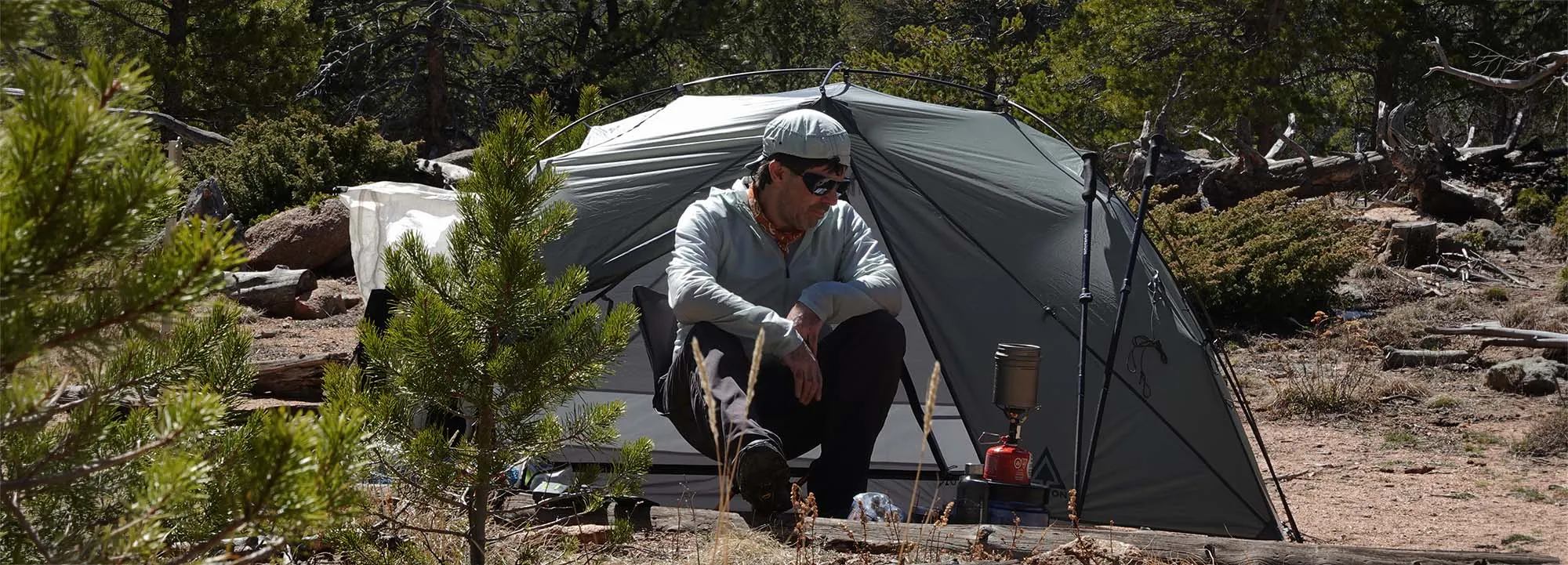
Our session recap: the backcountry severe weather preparedness checklist
Use this checklist to turn Ryan’s approach into a plan for your next trip.
1. Check official forecasts and alerts. Use the National Weather Service in the United States or Environment and Climate Change Canada in Canada, plus relevant local authorities.
2. Review the whole route. Include exposed sections, elevation changes, crossings, campsites and exits.
3. Match weather to timing. Identify where you expect to be when conditions could deteriorate, allowing for slower travel.
4. Choose your decision gates. Agree on specific triggers for changing the plan and the action each trigger requires.
5. Prepare alternate options. Check them before departure and make sure the group knows how to use them.
6. Pack for a credible range of conditions. Consider clothing, shelter, food, water and the limits of your equipment.
7. Prepare your Safety Circle. Share your route, alternate plans and expected check-in times. Agree on what should happen if you miss an update, then test your equipment and download maps before departure.
8. Keep reassessing. Update the plan as the weather, terrain or condition of the group changes.
Watch the Campfire Chats session with Ryan Jordan
Watch Weather Preparedness and Decision-Making in the Backcountry for Ryan’s full explanation, route examples and discussion of weather tools. Use the checklist above as you plan your next trip and share it with the people joining you.
Link to this episode ➔
Put your severe weather planning into practice
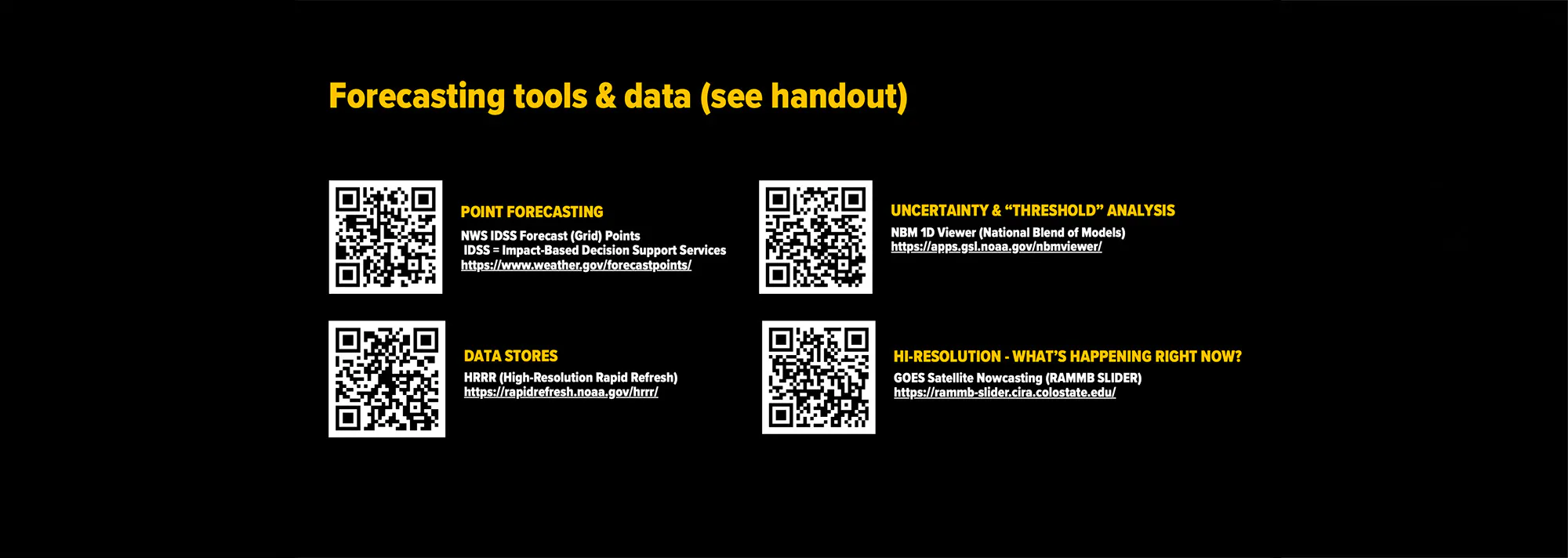
Download Ryan Jordan’s Backcountry Severe Weather Preparedness field guide for a practical planning workflow, a worksheet to help you decide when to change plans, and clickable links and QR codes to forecasting tools, guides and resources shared during the session.